
Managing Blog Category
To publish a blog, you have to create a blog category. Only the site admin can create the blog categories. Also, you can update or remove a blog category from the application any time you want.
To add a new category, you can follow the steps below:
- Log in to the site as an admin.
- Select the "Blog" option from the left menu.
- Click on the "Blog category" option from the sub-menu.

Figure 1. GoldenLMS Blog Category
- Click on the "Add new category" button.
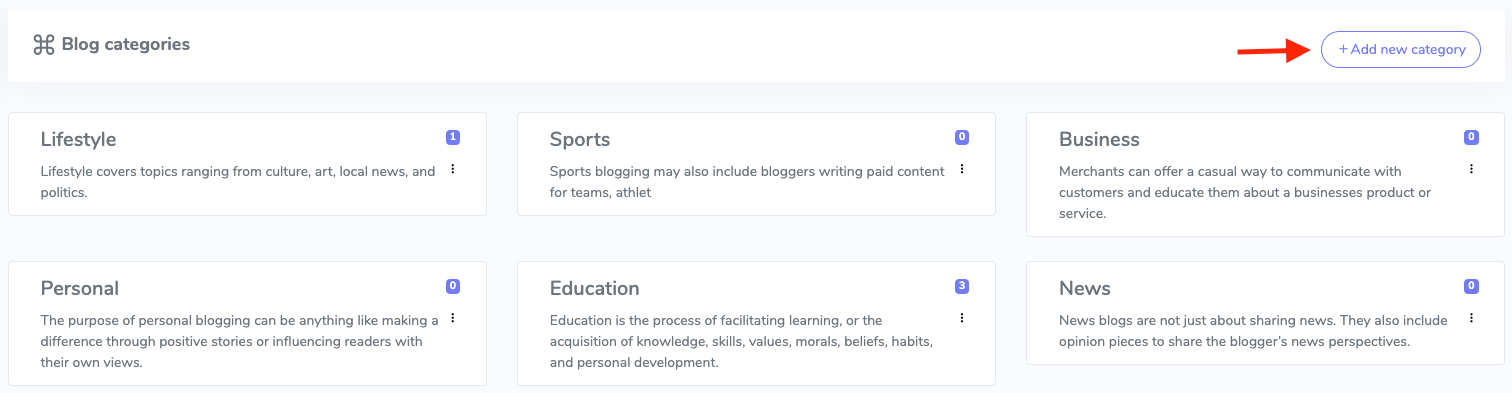
Figure 2. GoldenLMS Adding New Blog Category
- Add title and subtitle.
- Click on the "Submit" button.
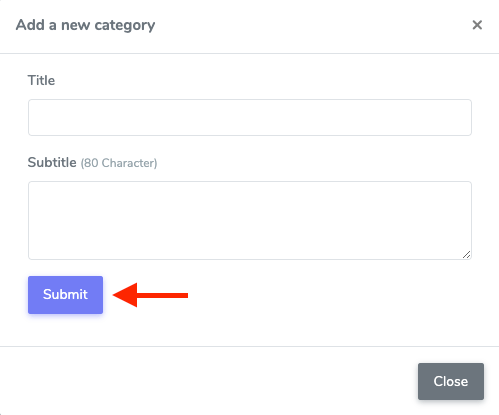
Figure 3. GoldenLMS Submitting New Blog Category
Updating a blog category:
To update a blog category, you can follow the steps below:
- Select a category from the "Blog category" sub-menu.
- Click on the more icon from the required category.

Figure 4. GoldenLMS Blog Category
- Click on the "Edit" option.
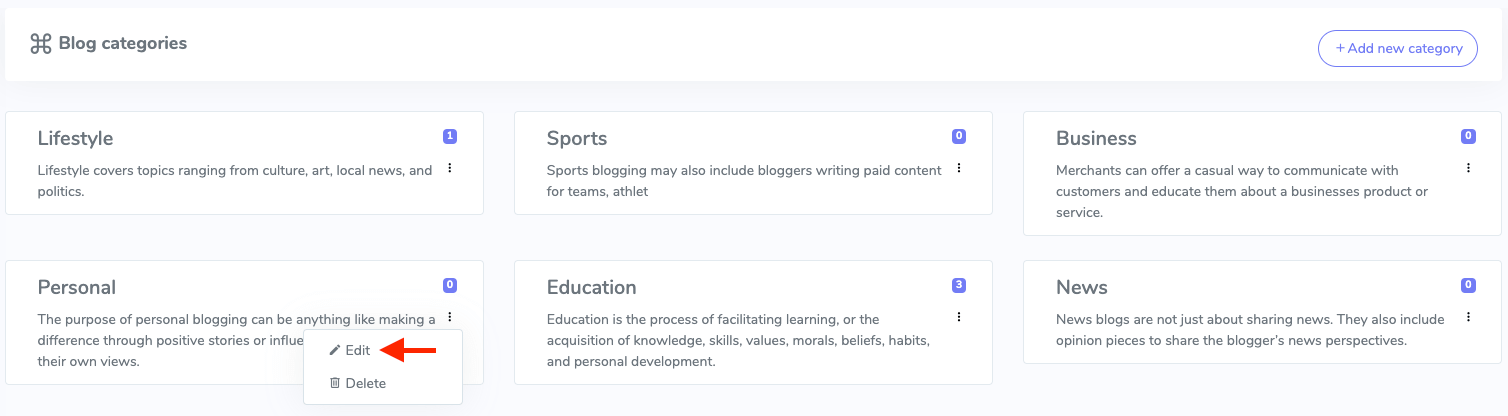
Figure 5. GoldenLMS Updating Blog Category
- Update required information.
- Click on the "Update" button.
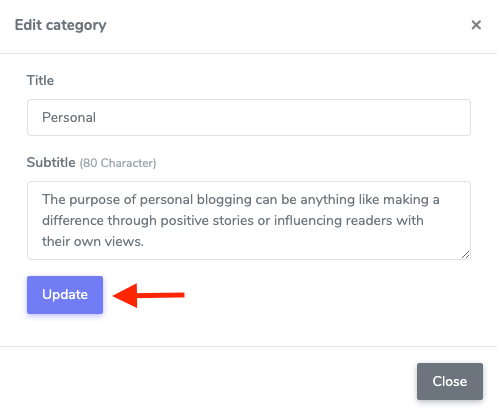
Figure 6. GoldenLMS Updating Blog Category Data
Removing a blog category:
To remove a blog category, you can follow the steps below:
- Select a category from the "Blog category" sub-menu.
- Click on the more icon from the required category.

Figure 7. GoldenLMS Blog Category
- Click on the "Delete" button
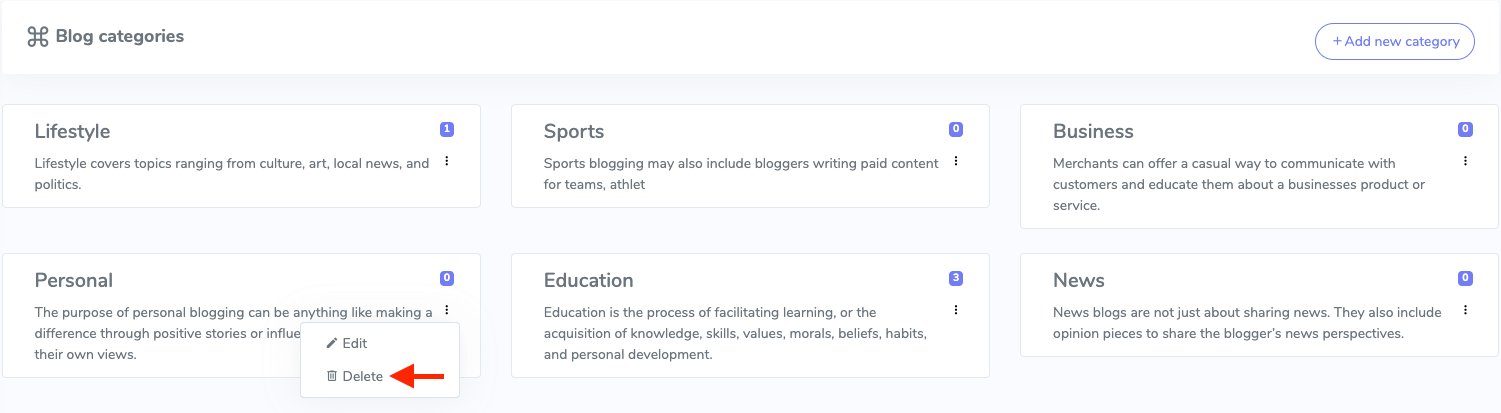
Figure 8. GoldenLMS Deleting Blog Category
- Click on the "Continue" button for confirmation.